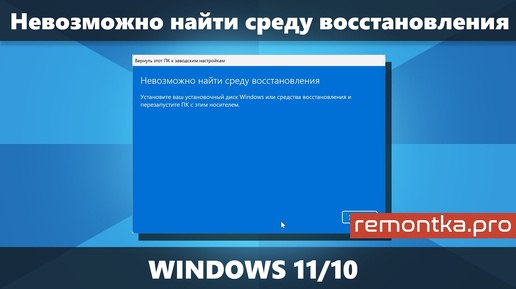
FIX "Could Not Find Recovery Environment" Error on Windows 11/10 UEFI

remontka.pro
Fix "Could not find recovery environment" during reset with three methods. This step-by-step guide shows how to repair or recreate Windows Recovery Environment (WinRE) for both Windows 11 and Windows 10 UEFI systems. 00:00 Enable Disabled Recovery Environment 02:12 Restore Missing Winre.wim File from ISO 03:51 Create New Recovery Partition (DiskPart) 🔑 KEY COMMANDS & INFO # Fix 1: Check & enable WinRE reagentc /info reagentc /enable # Fix 2: Register WinRE path reagentc /setreimage /path C:WindowsSystem32Recovery # Fix 3: DiskPart commands (GPT) list disk select disk N list partition select partition M shrink desired=650 create partition primary format fs=ntfs quick set id=de94bba4-06d1-4d40-a16a-bfd50179d6ac ❗ CRITICAL NOTES Recovery Partition GUID (GPT): de94bba4-06d1-4d40-a16a-bfd50179d6ac For MBR disks: Use set id=27 instead Always run Command Prompt as Administrator ⚠️ WARNING DiskPart operations carry data risk. Double-check disk/partition selections before modifying. Backup critical data first.
 8:32
8:32